Ensures Accuracy, saves time and Simplifies everything from processing to taxes with Our Payroll Software
Delight your Employee with Mr. PayMaster Payroll
Employee Management
Capture the master data of your employees – personal details, experience documents, statutory details, academic documents, and more. Get information on the employee’s designation, reporting manager, and the organizational hierarchy
Time and Attendance
Configure multiple shifts, overtime calculation rules, and other complex scenarios. Capture attendance with geo-tracking, geo-fencing, and selfie-uploads via the mobile app. Lock attendance entry to ensure integrity while allowing backdated entry through an approval process.
Leave Management
Configure leave policies based on employee levels (C-level, managers, etc.). Create leave types based on requirement. Default leave types such as maternity, sick, special day, work from home, compensatory off, etc., are already included. Configure different leave policies and structures with clearly defined criteria. Also, define policies for carry forwards and encashments. Set up multi-stage approvals where needed.
Employee Self Service
Employees have access to the web and mobile app Perk Payroll solution. Most features are available to employees via the mobile app, such as marking attendance, applying for leaves, submitting expenses, submitting their tax information, tracking attendance, reimbursements and leave approvals, viewing and searching personnel records, receiving internal news and updates, and more.
Read More...
SHIFT MANAGEMENT
Save time and money with faster, simpler employee scheduling
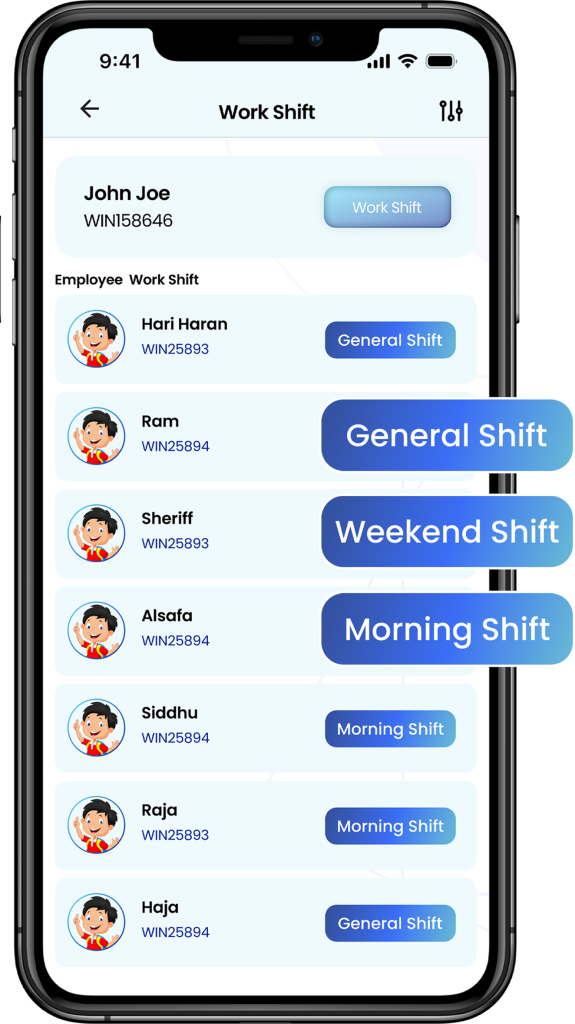
Build your employees’ schedules in minutes and manage time off, availability and shift trade requests. Avoid exceeding budgets and scheduling overtime, reduce absenteeism and late arrivals, get notified of overlapping shifts, and handle unexpected changes without stress.
Built for your industry
Sling helps you manage your team more efficiently, regardless of your industry. From local
restaurants and coffee shops, to regional hotels and retail stores, give your team the power of Sling
and watch them do their best work.
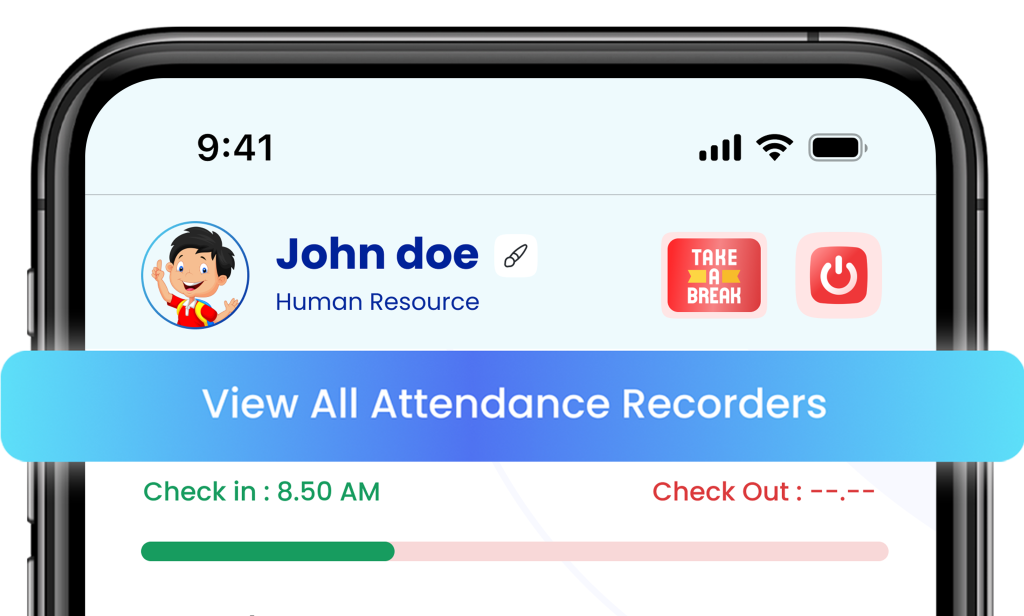
Attendance Management Dashboard
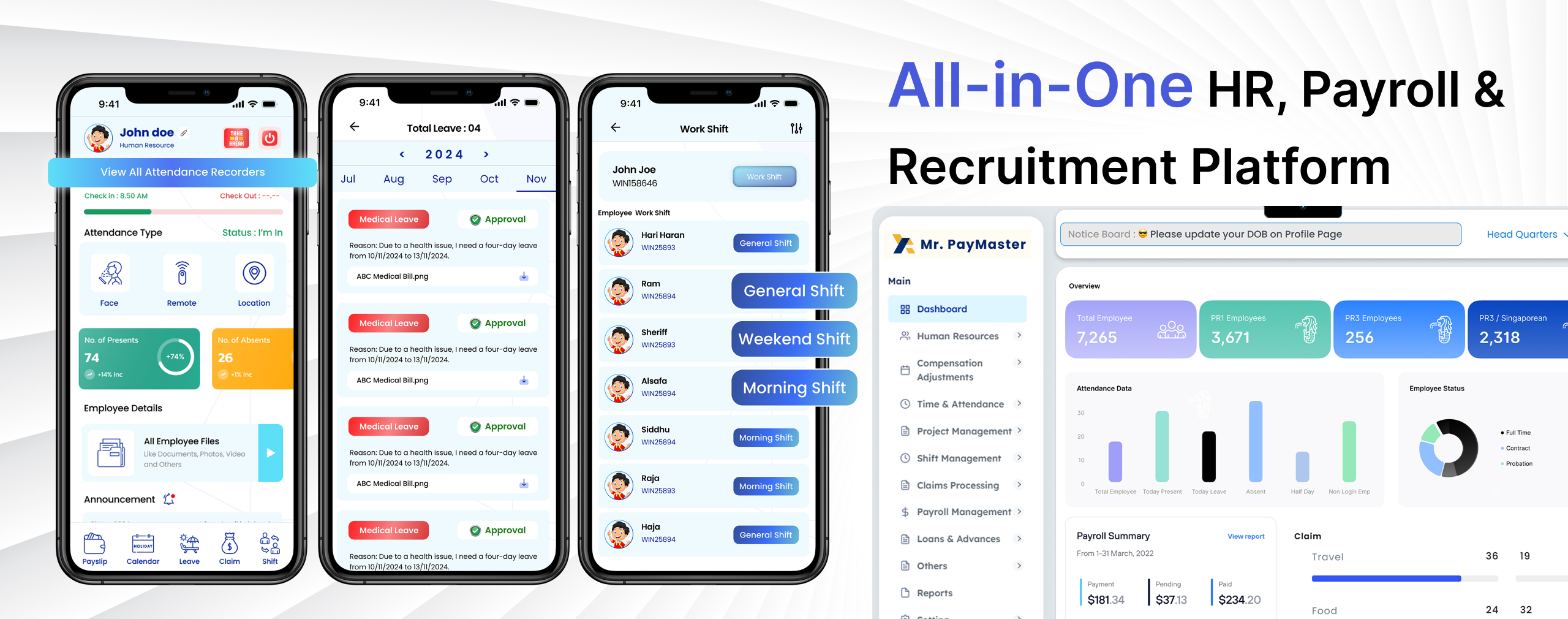
This screen shows a user’s daily attendance status in the HR management system.
• Profile Section: Displays the employee’s name, department, and profile picture (Example: John Doe – Human Resource).
• Check-in Time: Shows the employee’s punch-in time (e.g., 8:50 AM).
• Check-out Time: Appears blank until the employee checks out.
• Action Buttons:
• 🕒 Take a Break – lets employees mark break times.
• ⏻ Power Button – for check-in or check-out.
• View All Attendance Recorders: A highlighted button that allows users to view complete attendance history..
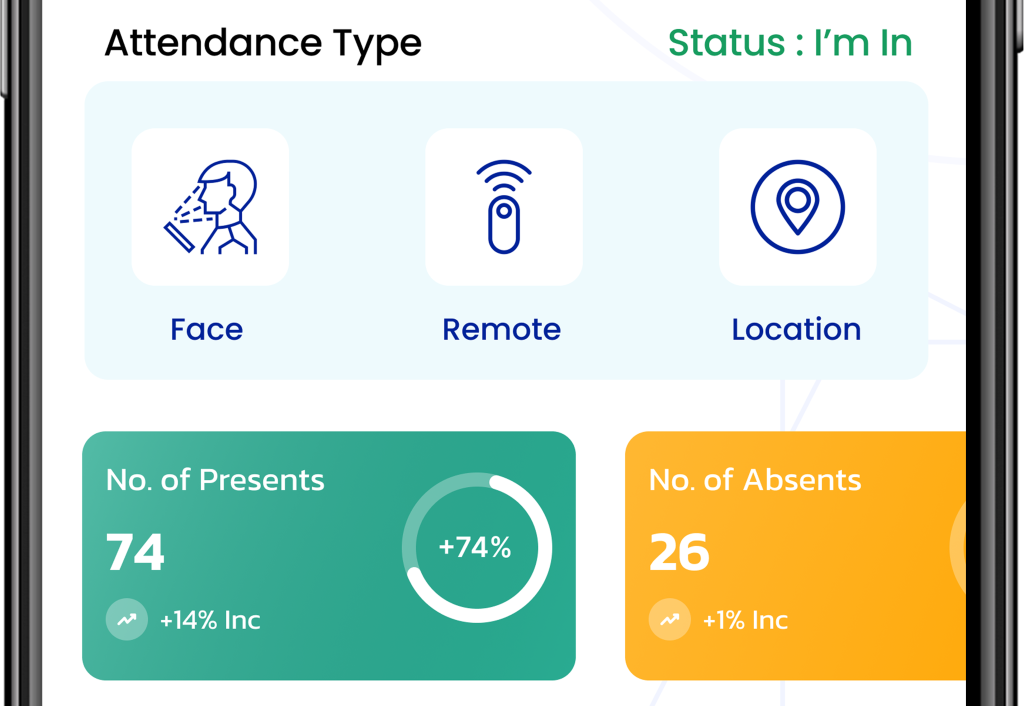
📊 Smart Attendance Overview
This section displays a summary of employee attendance types and status in real time.
• Attendance Type Options:
• 👤 Face – Facial recognition-based attendance.
• 🌐 Remote – Attendance marked from remote work locations.
• 📍 Location – GPS-based attendance tracking.
• Status Indicator: The user’s current attendance status is shown as “I’m In”, meaning the employee is currently checked in.
• Attendance Summary:
• No. of Presents: 74 employees present today (+14% increase compared to previous data).
• No. of Absents: 26 employees absent (+1% increase).
• A circular progress chart shows a 74% attendance rate visually for quick insights.
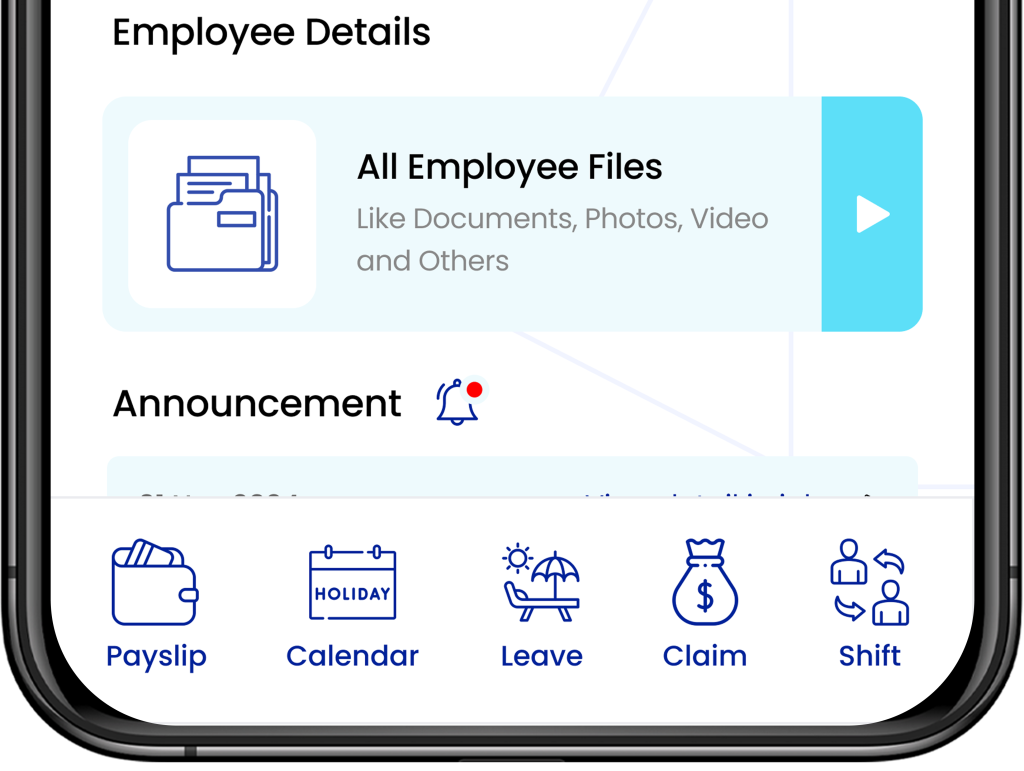
👥 Employee Details & Quick Access Panel
This screen gives employees a centralized hub to manage their personal and HR-related information easily.
• Employee Details Section:
• 📁 All Employee Files – Access all important files such as documents, photos, videos, and other records in one secure place.
• Announcement Section:
•🔔 Displays company updates, notices, and alerts with a red notification indicator for new announcements.
• Quick Navigation Menu (Bottom Bar):
• 💰 Payslip – View or download monthly salary slips.
• 🗓️ Calendar – Check holidays, work schedules, and important dates.
• 🌴 Leave – Apply for or track leave requests.
• 💼 Claim – Submit or view reimbursement claims.
• 🔄 Shift – Manage or view assigned work shifts.